OpenTofu in GitLab: state, module registry and apply from the pipeline
Terraform and OpenTofu state in GitLab instead of a bucket, modules in the group registry and the plan in the merge request. Config from a working lab.
GITLAB · OPENTOFU · TERRAFORM · CI-CD · DEVOPS
The state file sits in a bucket that half the team can read. tofu apply is run by whoever has the right credentials on their laptop. The same network module is copied into three repositories and looks a bit different in each. All three can move into GitLab, where your infrastructure code already lives.
This post opens a series about a GitLab Ultimate lab on Google Cloud. We build the lab in layers and start with the foundation: OpenTofu state, the module registry and a pipeline that runs plan and apply. Every code snippet comes from the working environment, and the screenshots from its first merge request.
What the lab looks like
The opswro-demo group has three subgroups. modules holds two OpenTofu modules, each in its own project: terraform-google-gitlab-wif (login from GitLab CI to Google Cloud) and terraform-google-gke-runner (network and a GKE cluster for runners). platform/infra holds the lab configuration that uses those modules. The apps subgroup waits for later posts.
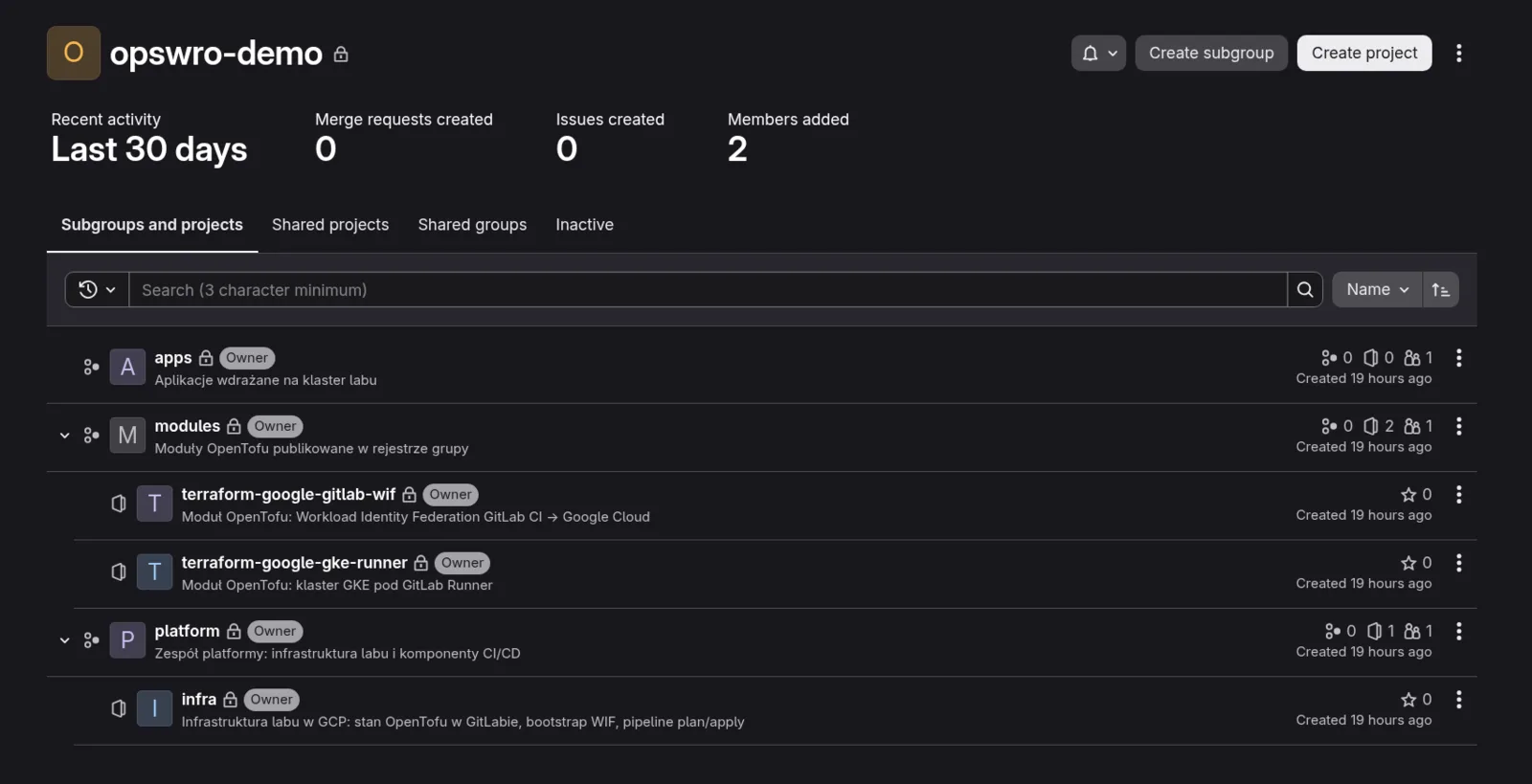
Modules in separate projects get their own versions and release cycle. A module change is a merge request and a new tag in its project, and infra moves to the new version when the platform team is ready.
OpenTofu state in GitLab
GitLab exposes a state backend through the project API, so you need no bucket, no lock table and no separate permissions for either. The code keeps an empty block:
terraform {
  required_version = ">= 1.10"

  backend "http" {}
}
The address and credentials are passed at tofu init. In the pipeline the OpenTofu component (more on it below) does this with the job token, so CI needs no setup. Locally a few environment variables are enough:
url="https://gitlab.com/api/v4/projects/opswro-demo%2Fplatform%2Finfra/terraform/state/lab"
export TF_HTTP_ADDRESS="$url"
export TF_HTTP_LOCK_ADDRESS="$url/lock"
export TF_HTTP_UNLOCK_ADDRESS="$url/lock"
export TF_HTTP_LOCK_METHOD=POST
export TF_HTTP_UNLOCK_METHOD=DELETE
export TF_HTTP_USERNAME="$USER"
export TF_HTTP_PASSWORD="$GITLAB_TOKEN"   # personal access token with api scope
The last segment of the address is the state name. One project can hold several. Our infra keeps the lab state written by the pipeline and the bootstrap state, created once from a laptop. The token does not have to sit in a .env file. A script in the repo reads it from the password manager (Vaultwarden through bw in our case) only for the duration of the tofu call.
States are listed in the project under Operate → Terraform states. While the pipeline applies, the state is locked, and a second apply, from a pipeline or a laptop, waits or fails. After the apply the state shows a link to the pipeline that changed it.
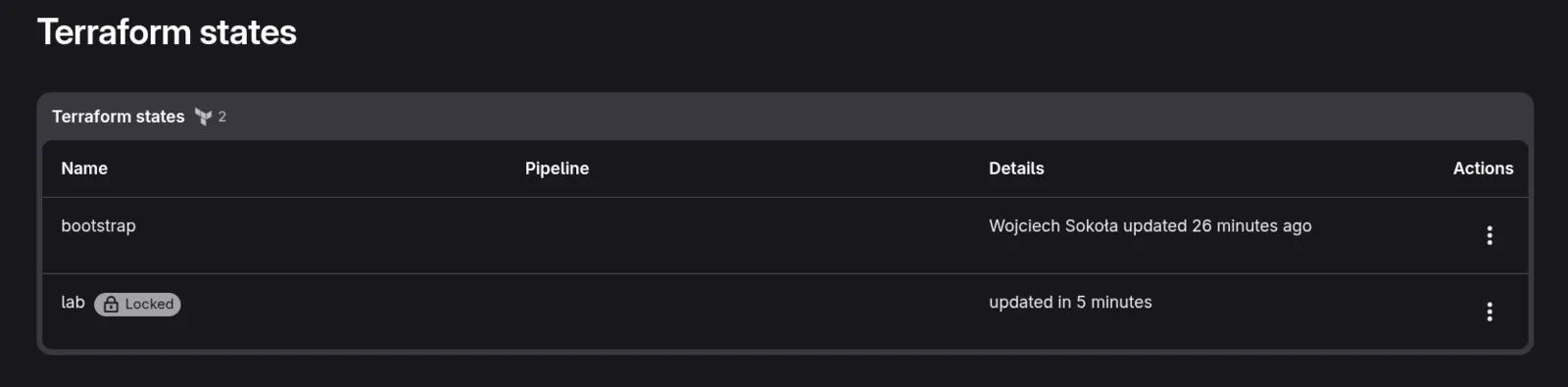
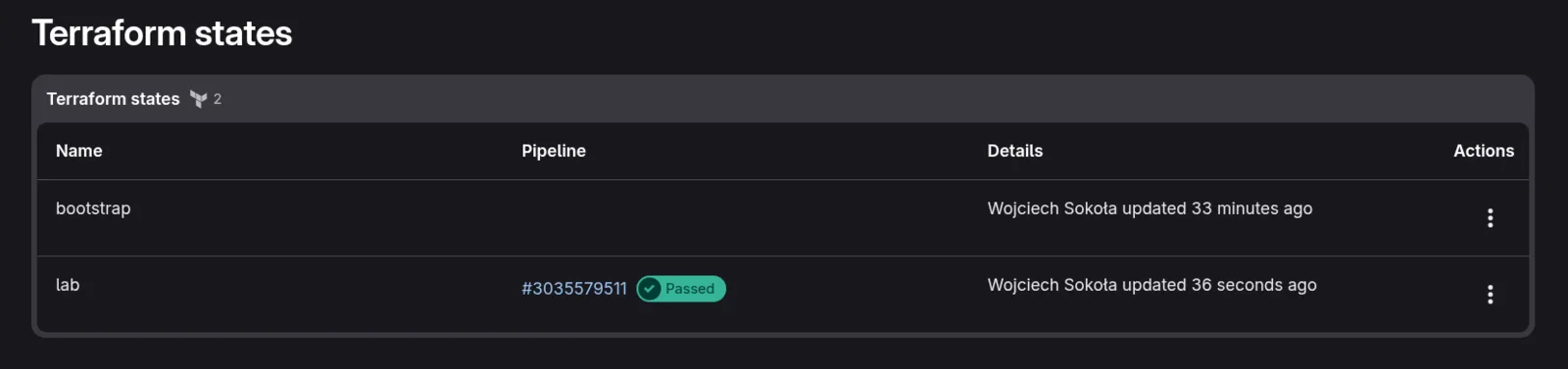
GitLab keeps previous state versions, and the menu next to a state lets you download its JSON or remove a lock by hand when a job died halfway. Permissions follow the project role. A Developer can read the state, so tofu plan -lock=false works. Locking, writing and unlocking need Maintainer or Owner, so the manual apply on main must also be started by someone with at least the Maintainer role.
Module registry: publish on tag
GitLab’s Terraform module registry lives at group level, under Deploy → Terraform modules. A module gets there from the pipeline of its own project. In terraform-google-gke-runner it looks like this:
include:
  - component: gitlab.com/components/opentofu/[email protected]
    inputs:
      version: 4.9.1
      opentofu_version: 1.12.6
      allow_failure: false
  - component: gitlab.com/components/sast/[email protected]
    inputs:
      enable_mr_pipelines: true
  - component: gitlab.com/components/opentofu/[email protected]
    inputs:
      version: 4.9.1
      opentofu_version: 1.12.6
      module_name: gke-runner
      module_system: google
      rules:
        - if: $CI_COMMIT_TAG =~ /^\d+\.\d+\.\d+$/
Every merge request runs fmt and the configuration scan. A 1.0.0 tag also runs module-release, which packages the module and pushes it to the registry under that version.
No “v” in front of the tag. The component takes the module version from the tag name, and the registry accepts only semver. A v1.0.0 tag does not match the rule above, so the job never starts.
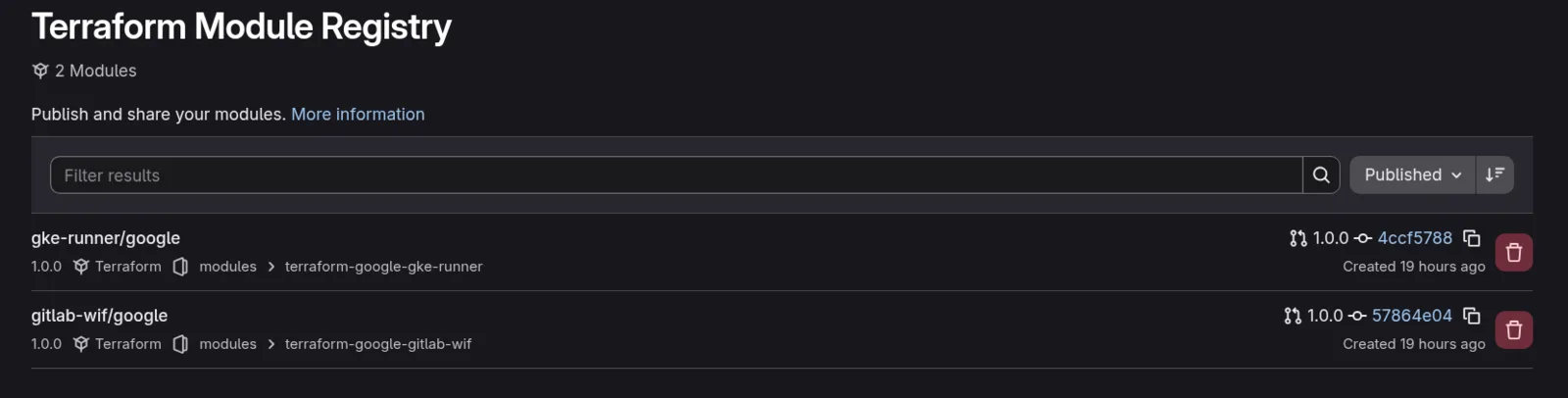
In infra the module is referenced like one from the public registry, with the GitLab address:
module "gke" {
  source  = "gitlab.com/opswro-demo/gke-runner/google"
  version = "~> 1.0"

  project_id      = var.project_id
  name            = "lab"
  cluster_enabled = var.cluster_enabled
  # ...
}
The address holds the top-level group (opswro-demo), the module name and the system. Neither the subgroup nor the project name is in it, so the module from opswro-demo/modules/terraform-google-gke-runner is gitlab.com/opswro-demo/gke-runner/google.
Downloading a module from a private group needs a token. Locally OpenTofu reads it from TF_TOKEN_gitlab_com. In CI the component uses the job token, but by default that token cannot reach other projects. In every module project, add the consuming projects under Settings → CI/CD → Job token permissions. We added the whole opswro-demo/platform subgroup. Without it tofu init in the infra pipeline fails to download the module, even though everything works locally.
A pipeline from the OpenTofu component
GitLab ships CI/CD components for OpenTofu in the CI/CD catalog (gitlab.com/components/opentofu). full-pipeline gives the full set of jobs: fmt, validate, plan, apply and destroy. In infra the whole pipeline is one include:
include:
  - component: gitlab.com/components/opentofu/[email protected]
    inputs:
      version: 4.9.1
      opentofu_version: 1.12.6
      state_name: lab
      fmt_allow_failure: false
      enable_id_tokens: true
      plan_artifacts_access: developer
      test_rules: [{when: never}]
      delete_state_rules: [{when: never}]
  - component: gitlab.com/components/sast/[email protected]
    inputs:
      enable_mr_pipelines: true

stages: [validate, test, build, deploy, cleanup]
The component is pinned to a version (@4.9.1), like the modules. The OpenTofu version is set explicitly too, so local tofu and CI produce the same plan. enable_id_tokens prepares the login to Google Cloud without JSON keys. That is the topic of the next post.
In a merge request the pipeline runs fmt, validate, the scan and plan. On main it runs plan again and leaves apply and destroy as manual jobs. A person still starts the apply after reading the plan, just not from their laptop.
The plan in the merge request
GitLab reads the plan report from the plan job artifact and shows in the MR how many resources will be added, changed and destroyed. In our first MR that was a VPC network and a subnet:
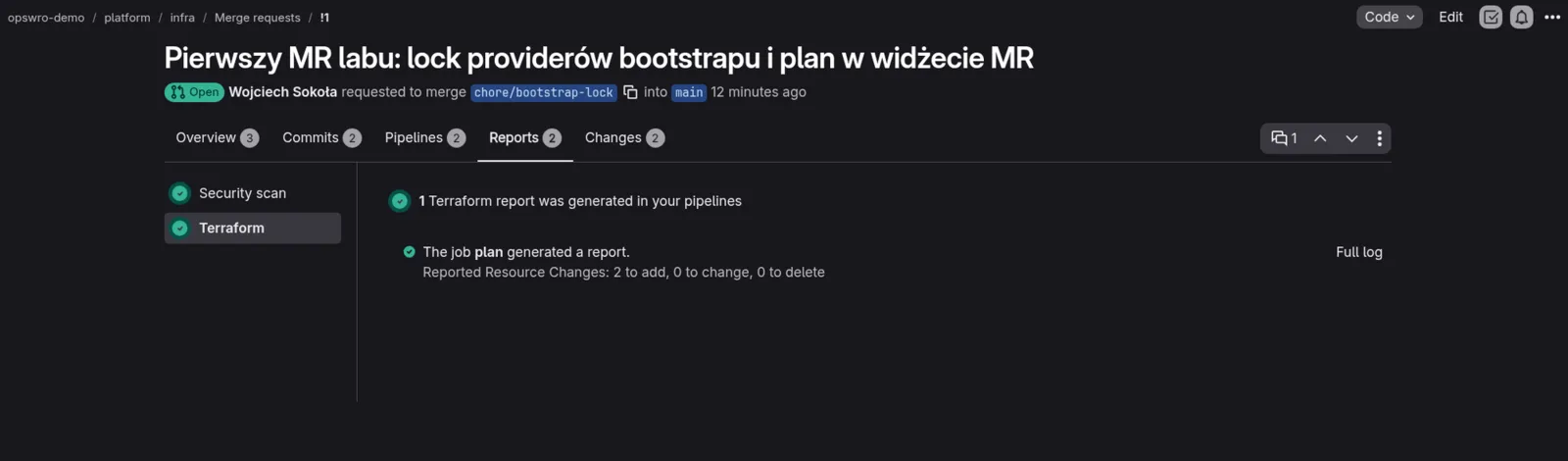
Pitfall: by default there is no report. The component sets access to plan artifacts to none, because a saved plan can contain secrets. That setting also hides the report from the MR widget. In the first pipeline the widget showed “0 Terraform reports failed to generate”, although the plan job passed and the report file was in the artifacts. Only plan_artifacts_access: developer fixed it. Project Developers can then read the plan, so keep secrets out of it and keep the Developer list in infra short.
Configuration scan and Duo review in the same MR
The iac-sast component runs KICS, a scanner for infrastructure configuration. It checks OpenTofu code for open firewall rules, public buckets, clusters without private nodes and similar mistakes. The result lands in the MR security widget, next to the plan report. In the lab’s first MR the scan found nothing:
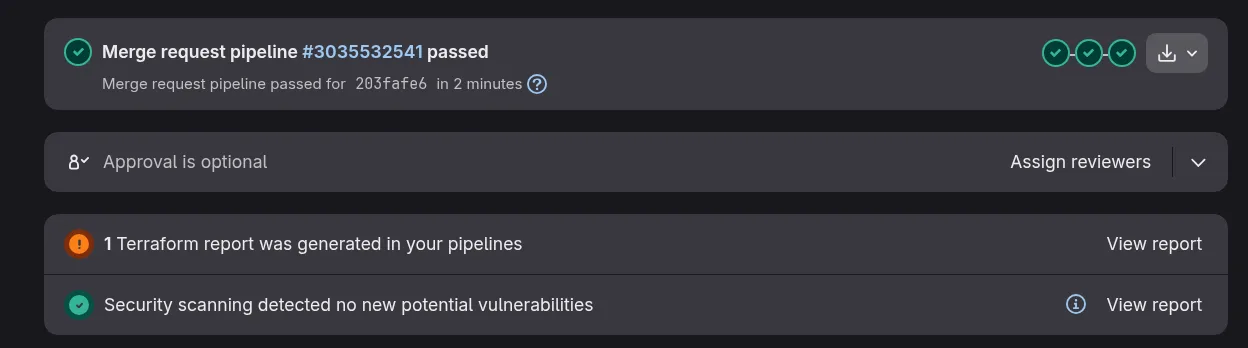
The group also has automatic GitLab Duo code review turned on. On the MR’s second commit Duo flagged a mismatch: the title mentioned the .terraform.lock.hcl file, but the diff it reviewed held only a CI change. The lock file was in the MR, but the review did not include it. The remark was still fair, because the title did not describe the whole change. Duo set “request changes” and the merge was blocked.
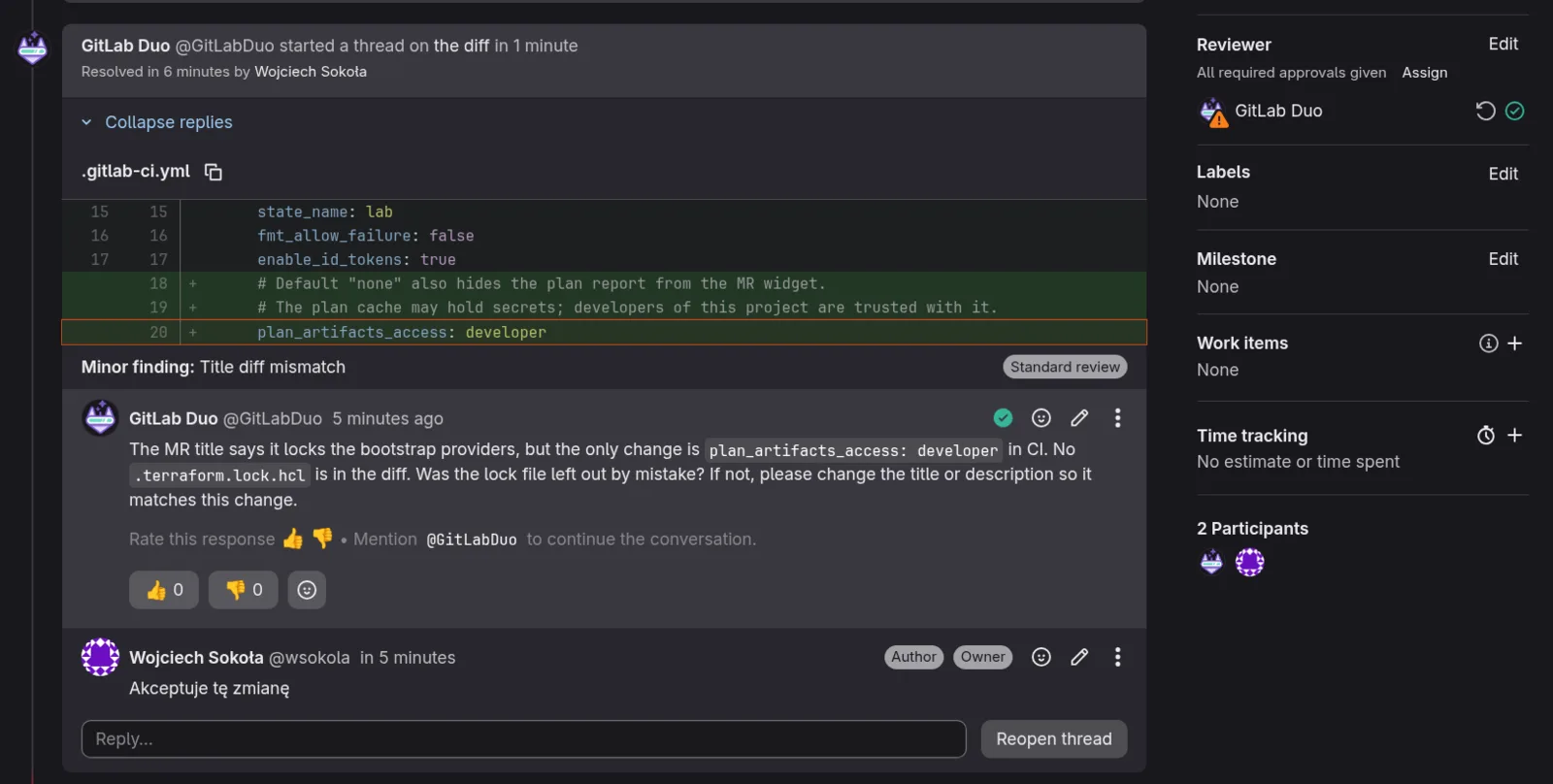
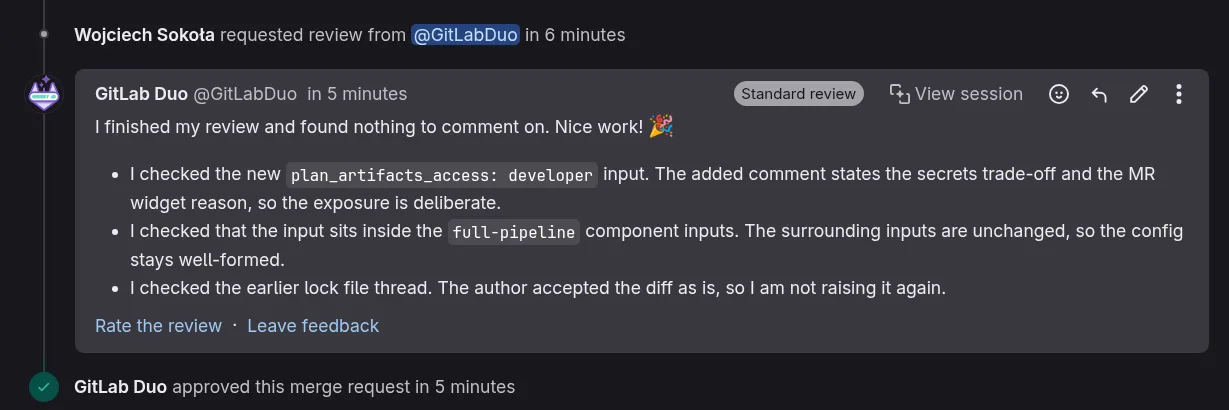
After the title was fixed and the thread resolved, the second review took the earlier discussion into account, did not raise the point again and approved the MR.
What stays outside GitLab
The pipeline needs something to log in to Google Cloud with. The Workload Identity Federation pool, the service accounts for plan and apply and their roles are created in a separate bootstrap/ directory, run once from a laptop. Its state is in GitLab too (the bootstrap state in the screenshot above), but the apply is done by a person with admin rights on the GCP project. The account the pipeline uses cannot grant itself permissions, and that is how it should stay.
The next post shows how that login works: the GitLab job token exchanged for short-lived access to Google Cloud, a read-only account for merge requests and a write account only for the protected main branch.
Moving your infrastructure into GitLab, or want applies to stop running from laptops? See how we set up CI/CD and infrastructure as code. We are a GitLab partner, so we can help with licensing too.